
The Open Charge Point Protocol (OCPP) lets an EV charger exchange information with charging management software. You may see it listed on a charger’s specification sheet when comparing models.
OCPP support is a useful starting point when comparing chargers. The charger and your chosen platform still need to support the connection and functions you want.
This guide explains how OCPP works, what it can enable, and who needs it. You’ll also learn what to check before buying a charger or connecting it to a different management system.
What Is OCPP?
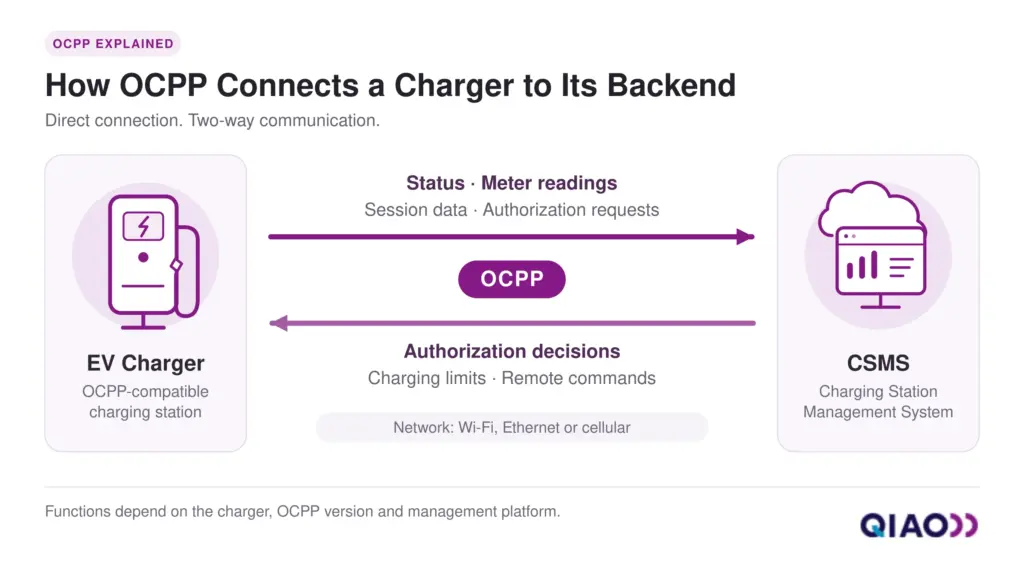
OCPP is an open communication protocol that defines how EV charging stations exchange information with management software. The industry commonly calls this software a charging station management system (CSMS).
The protocol sets a common format for messages sent in both directions. A charger can report its status and energy readings. The CSMS can send supported commands, such as requests to start or stop a session.
The Open Charge Alliance (OCA) maintains the protocol and makes its specifications publicly available. These shared rules give charger manufacturers and software providers a common basis for building compatible connections.
Manufacturers and software providers implement OCPP in the charger and management platform. It does not replace either one. The platform may run in the cloud or locally, depending on the setup. Connector type, such as Type 2 or J1772, is a separate equipment choice.
How Does OCPP Work During a Charging Session?
During a charging session, OCPP carries messages for user authorization, session tracking, and meter readings. The charger and CSMS exchange these messages as charging begins, continues, and ends.
Here is a simplified example of a networked AC charger using an RFID card for access. The charger establishes its backend connection before the driver plugs in and taps the card.
| Stage | What the Charger Sends | What the CSMS Does |
| 1. Connect to the Platform | Identifies itself and reports its status. | Recognizes the device and records its availability. |
| 2. Check User Access | Sends the identifier from the driver’s RFID card. | Checks whether that identifier is authorized to charge and returns a response. |
| 3. Begin the Session | Reports the session start and initial meter reading once access is approved and the vehicle is ready. | Creates a session record linked to the user and charger. |
| 4. Report During Charging | Sends meter readings and status updates at configured intervals or when relevant changes occur. | Updates the record and may send supported control commands. |
| 5. End the Session | Reports the session end and final meter reading. | Closes the record for further processing. |
The exact sequence depends on the OCPP version, authorization method, and charger settings. The platform can use the completed record for usage reports or billing, depending on its features.
What Can OCPP Enable, and What Else Is Needed?
OCPP can support monitoring, user access, session records, charging control, and remote maintenance. It can also help compatible chargers from different brands share one management platform. Changing backends still depends on the equipment’s configuration and service terms.
These features require more than OCPP support alone:
| Capability | What It Can Help You Do | What Else Is Needed |
| Remote Monitoring | See which chargers are available, charging, or reporting faults. | The charger must report the relevant data, and the platform must display it or raise alerts. |
| User Access | Restrict use through supported RFID or app-based authorization. | The charger’s access method and the backend’s authorization rules must work together. |
| Session Records | Track delivered energy and support cost calculations. | Suitable metering and billing software are required. OCPP alone does not prove that the meter meets billing requirements. |
| Charging Limits and Schedules | Adjust charging current or apply charging profiles. | Both the charger and platform must support the required controls. Site energy management also needs measurements and control logic. |
| Remote Maintenance | Request diagnostics, change settings, or initiate firmware updates. | The device firmware, platform, and permissions must support each operation. Updates do not guarantee support for a newer OCPP version. |
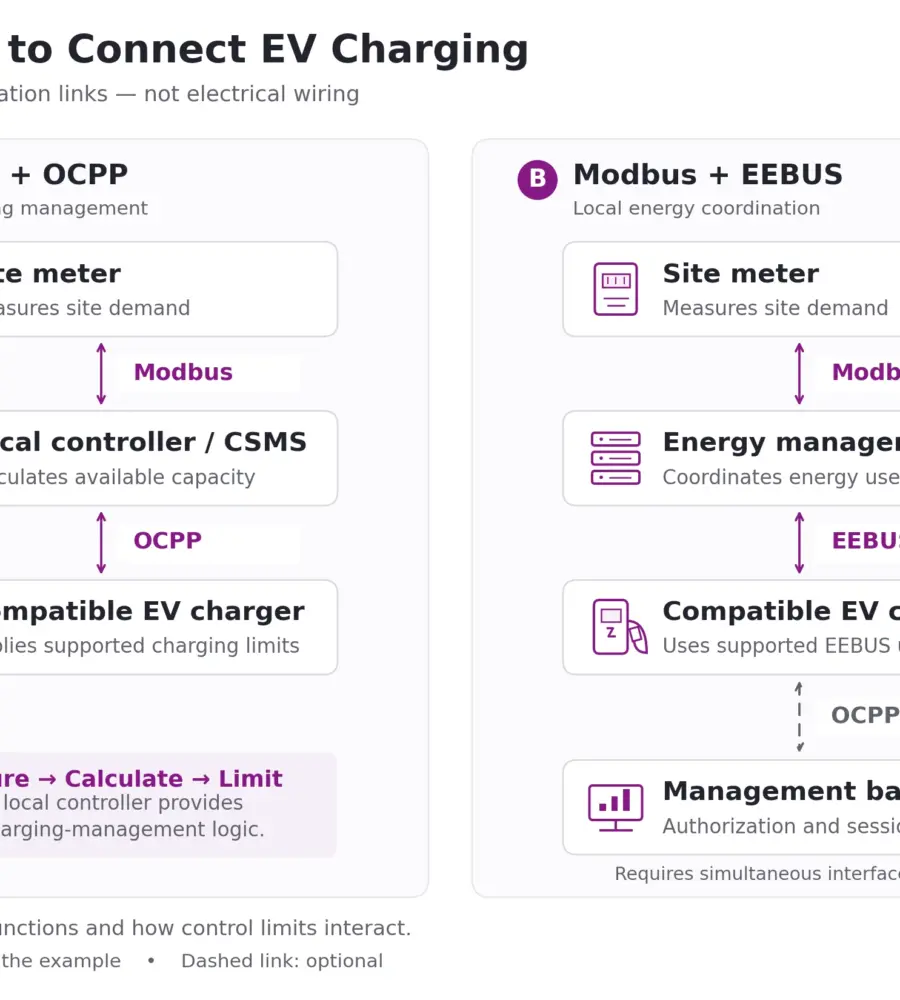
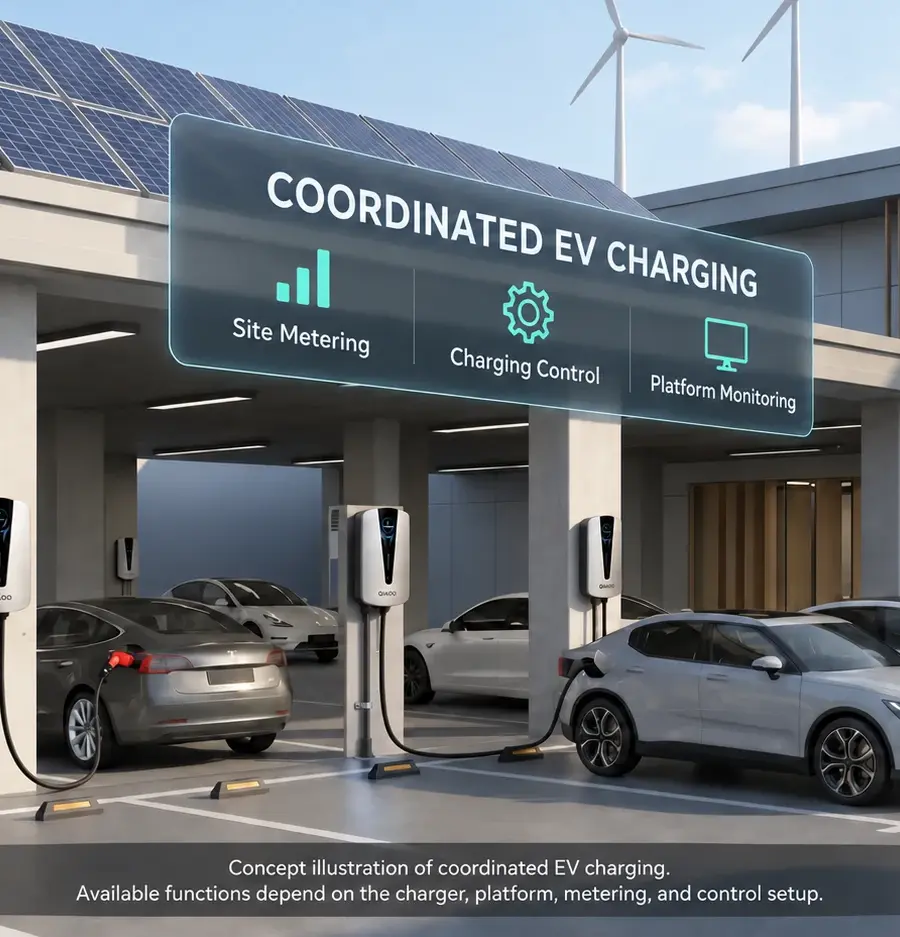
For example, dynamic load management may reduce EV charging limits when a building’s electricity demand rises. A controller uses site measurements to decide those limits; OCPP can carry them to chargers that support the required controls.
Solar-based charging similarly needs generation data and suitable control logic. An OCPP label alone does not confirm solar integration.
Who Needs an OCPP-Compatible EV Charger?
An OCPP-compatible charger is useful when you need to connect to a third-party platform or manage chargers through a shared system. Your intended setup determines how much priority to give this feature.
Consider these four situations when deciding whether you need OCPP:
- One Home Charger: The manufacturer’s app may already meet your needs, such as scheduling or viewing charging history. Check the features you will use and how the service operates.
- Third-Party or Local Control: Include OCPP in your requirements when your chosen management platform relies on it. The specific charger must support the connection you intend to use.
- Shared or Multi-Charger Sites: Workplaces and residential parking areas may need one system to manage access and usage across several chargers. OCPP can provide a basis for connecting compatible equipment to that system.
- Distributor or Installer Selection: Distributors should match stocked configurations to their customers’ platforms. Installers need to confirm that the selected charger fits the intended management setup.
OCPP 1.6, 1.6J, 2.0.1 and 2.1: A Brief Overview
OCPP versions differ in their message structure and available functions. The table below summarizes three versions listed by the Open Charge Alliance.
| Version | Released | Main Features |
| OCPP 1.6 | 2015 | Supports session management, meter readings, local authorization lists, and charging profiles. |
| OCPP 2.0.1 | 2020 | Expands device management, transaction handling, security, and charging controls. Adds support for ISO 15118. |
| OCPP 2.1 | 2025 | Adds support for ISO 15118-20, bidirectional charging, and control of distributed energy resources, such as solar and battery systems. |
OCPP 1.6J means the JSON-over-WebSocket implementation of OCPP 1.6. The “J” identifies how messages are exchanged; it does not indicate a newer major version.
OCPP 1.6 and 2.0.1 are not directly compatible. A backend can support both through separate implementations, allowing it to manage chargers using either version.
For commercial projects, compare the OCPP 1.6 and 2.0.1 features against the functions your management platform needs.
OCPP vs Wi-Fi, OCPI and ISO 15118
These terms describe different parts of a charging system. They can work together, with each handling a separate connection or task.
| Term | What It Does |
| OCPP | Defines the messages exchanged between a charger and its management platform. |
| Wi-Fi, Ethernet and 4G | Provide the network connection that carries those messages. A Wi-Fi-enabled charger does not necessarily support OCPP. |
| OCPI (Open Charge Point Interface) | Connects charging operators’ systems with mobility service providers. It supports roaming through exchanges of location, availability, pricing, and session data. |
| ISO 15118 | Defines communication between the vehicle and charger. It supports functions such as certificate-based Plug & Charge authorization when the required equipment and services are in place. |
Does OCPP require an internet connection? It requires a working network connection to exchange messages with the CSMS. A cloud platform generally needs internet access. A locally hosted system may communicate over a local network without public internet access, if the setup supports it.
When planning the connection, compare Ethernet, 4G, and Wi-Fi based on site coverage, available cabling, and ongoing service costs.
What to Check Before Choosing an OCPP Charger
Before ordering, ask for evidence that the specific charger can connect to your chosen platform and perform the required tasks.
Which EV Chargers Support OCPP?
OCPP support depends on the model, configuration, and installed firmware. Check the specification sheet and setup manual for the exact product. A brand may offer several models with different software capabilities. Treat labels such as “OCPP ready” as claims to verify.
Use these five checks when comparing products:
- Version and Firmware: Confirm the OCPP version available in the delivered charger and the firmware required to use it. Ask whether activation is needed. If a newer version is promised, request written details about its availability and upgrade requirements. Also confirm which security profile the charger and platform support, including TLS encryption and any certificate requirements.
- Required Functions: Tell the supplier which functions you need the charger and platform to support. Request a supported-function list or Vendor Declaration of Conformance. Confirm each requirement with the platform provider, including any limits on charging profiles, authorization, or data reporting.
- Backend Access and Migration: Ask who can change the backend address and connection credentials. Check whether the charger connects directly to your chosen platform or through a manufacturer-controlled service. Request setup instructions and written details of any permissions, fees, or contract restrictions. Ask which charging and app functions would remain available if you switched platforms or the manufacturer’s cloud service ended.
- Certification Scope: If the supplier claims OCA certification, verify the certificate through OCA. Check that it covers the model and software version you plan to buy. Ask for the certificate and its supporting documents, then review the tested profiles and optional functions. Certification covers a defined scope of testing. A charger without OCA certification may still support OCPP, but you should request other evidence of conformance.
- Compatibility Testing: Ask whether the exact charger model and firmware have been tested with your chosen management platform. Include any manufacturer-app features you expect to keep after connecting to that platform. Request test results covering user authorization, session records, charging controls, and behavior during connection loss and recovery. The report should identify the model, firmware, platform, and settings used so you can compare the tested setup with the one you plan to install.
FAQs
Yes. OCA makes the OCPP specifications freely available. Running an OCPP-enabled charger may still involve charges for management software, feature activation, integration, or mobile data. Ask the supplier which costs are included in the purchase and which are ongoing.
An active session may continue during a backend outage, depending on the charger’s settings and control requirements. Transaction-related messages are queued for delivery after reconnection. Starting a new session depends on the charger’s offline authorization settings. Locally stored charging profiles may still apply, but new remote commands cannot reach the charger while the connection is down. Confirm how your model handles each situation.
It depends on how the app connects to the charger. Functions tied to the original backend may become unavailable after switching. Local Bluetooth controls or a separate manufacturer connection may remain available. Check remote control, schedules, charging history, and firmware updates individually.
Some chargers can connect through a community OCPP integration. Your model and firmware must support the integration’s protocol version and allow a custom backend address. The charger must also reach your Home Assistant server over the network. Available controls and readings vary by device.
Choose OCPP for the Connection You Need
Choose OCPP when you need a connection to a third-party platform or a shared management system. Before buying, confirm the delivered OCPP version, required functions, backend access, and compatibility test results.
Ask the supplier and platform provider to confirm these details for the exact model and firmware you plan to use.
About QIAO Charger
QIAO Charger offers AC EV chargers for home, travel, and commercial use. Selected commercial EV charger configurations support OCPP 1.6J with 4G and Ethernet connectivity. Confirm the model, firmware, and required backend functions when choosing your configuration.
We also work with distributors, retailers, and other channel partners building local EV charging product ranges. Explore our partnership opportunities to discuss product selection, documentation, and supply requirements.