
OCPP connects EV chargers to charging management systems. Modbus carries device readings and control commands, while EEBUS provides a shared language for energy coordination. A charging setup can use more than one of these standards, depending on the equipment and functions involved.
Choosing which interfaces to use starts with what you need to connect. An existing solar system, building energy controller or charging platform may set the requirements. This guide compares their roles, shows how they can work together, and explains what to check before choosing a charger, including local operation, compatibility and access to the manufacturer’s app.
OCPP, Modbus and EEBUS at a Glance
OCPP connects EV chargers to charging management systems, Modbus exchanges device data, and EEBUS supports energy coordination. Their roles can overlap, so compare the connections and functions your setup needs.
| What to Compare | OCPP | Modbus | EEBUS |
| Main connection | EV charger to a charging station management system, or CSMS | Controller to devices such as meters, inverters or compatible chargers | Energy management system, or EMS, to compatible chargers, heat pumps and other energy devices |
| Data and control | Charger status, authorization, session records and supported charging limits | Meter readings, device status and writable settings defined by the device | Standardized energy measurements, power limits and flexibility information |
| Communication | IP networking; OCPP 1.6J uses JSON over WebSocket | RTU commonly uses RS485; TCP uses an IP network | IP networking using SHIP for communication and SPINE for the data model |
| Public internet required? | No, when the management system is reachable locally | No, for communication over a local connection | No, for local communication between compatible devices |
| Compatibility checks | Protocol version, supported functions and access to connection settings | Client/server role, register definitions and read/write permissions | Supported use cases, device roles and pairing requirements |
| Example application | Managing access and charging records across a workplace | Reading a site meter for local load management | Coordinating EV charging with household solar and heat-pump demand |
OCPP vs Modbus: What Changes in Practice?
OCPP defines messages for managing charging stations, while Modbus provides a way to read and write device data. This affects how you connect equipment and which functions you can use.
What Does Each Connection Carry?
An OCPP connection can carry authorization requests, session records, meter values and diagnostic information. A management system can also send charging profiles that set power or current limits when the charger supports that function.
Modbus lets controllers read and write device data, as explained by the Modbus Organization. A controller might read a meter’s current measurement or write a charging limit to a compatible charger. The device’s register map explains what each value means.
An energy management system (EMS) monitors and coordinates energy use across connected equipment, such as EV chargers and home batteries. However, a charger’s ability to read an external electricity meter through Modbus does not automatically allow an EMS to control it.
To let an EMS adjust charging current through Modbus, the charger must provide writable registers for setting the current limit. These are settings that the EMS can change.
Can They Operate Locally Without Internet?
Both can support local operation when the equipment and configuration allow it. OCPP can connect a charger to a charging station management system (CSMS) hosted on-site. This system manages functions such as user authorization, charging records and supported charging limits. The connection can remain available during an internet outage if the local network and management system keep running.
Modbus RTU commonly uses an RS485 cable, while Modbus TCP uses an IP network. Whether a particular charger supports Modbus TCP over Wi-Fi depends on its implementation.
An internet outage, a failed local network and a stopped controller are different faults. Each can affect charging differently. The charger’s firmware and configuration determine what happens after it loses control messages. For example, whether it pauses or applies a fallback current limit.
What Still Needs Device-Specific Integration?
For OCPP, check that the charger and management system support the same protocol version and the functions your setup needs.
For Modbus, check the register addresses, units, scaling and write permissions. Two chargers may both support Modbus TCP but expose different registers, requiring separate integration work.
Neither protocol name establishes how quickly the complete system will respond. Meter updates, communication intervals, controller calculations and charger behavior all affect the result. Test the required control function with the actual equipment.
Where Does EEBUS Fit in EV Charging?
EEBUS helps an EMS coordinate charging with other energy devices. It gives compatible equipment a common way to exchange measurements, power limits and information about when devices can adjust their energy use.
Coordinating Charging with Other Energy Devices
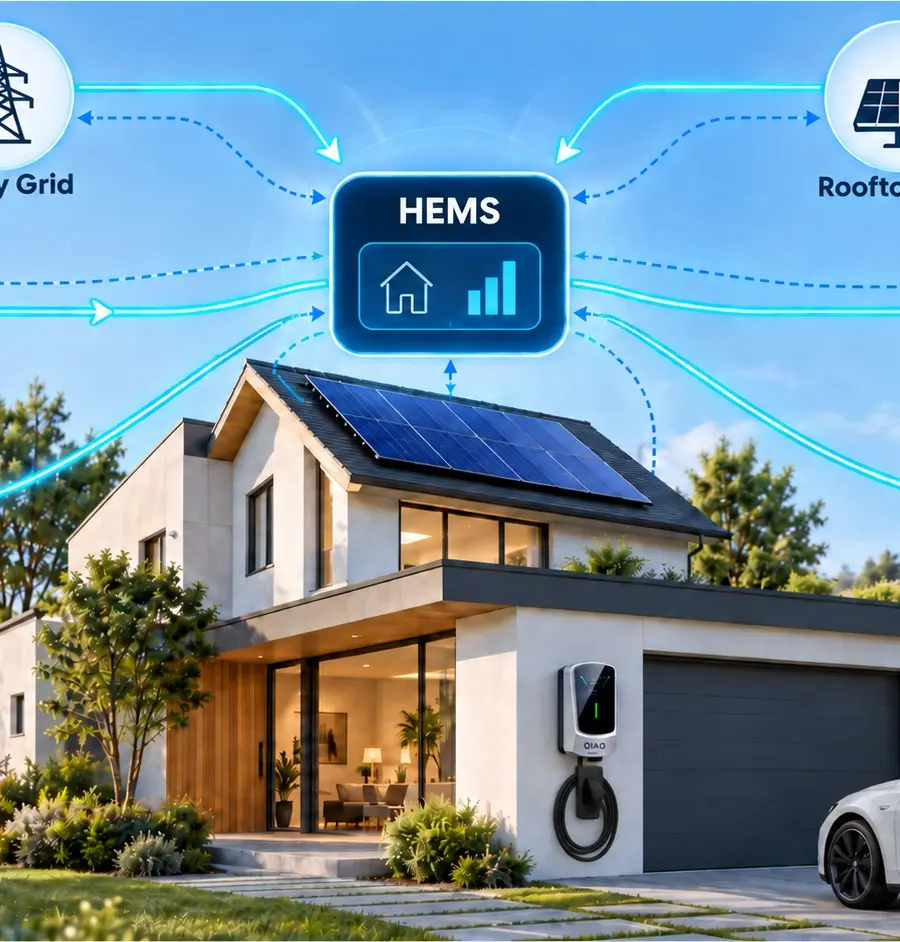
A home energy management system can use EEBUS to coordinate an EV charger with solar generation, battery storage and a heat pump. For example, it could adjust charging to use available solar power while allowing for household demand.
EEBUS combines three elements. SHIP provides secure communication over an IP network. SPINE defines the meaning and structure of the exchanged data. EEBUS use cases describe specific applications, such as monitoring charging power or coordinating charging.
This shared structure can reduce the need to interpret separate vendor register maps, which Modbus integrations often require. However, the EMS and charger still need to support the relevant use cases and device roles.
Does EEBUS Require OCPP?
No. EEBUS can support energy coordination between a compatible EMS and charger without an OCPP connection.
A charger may also use OCPP to connect to a charging management platform while EEBUS handles local energy coordination. Whether both connections can operate together depends on the charger’s implementation.
Successful EEBUS pairing alone does not confirm that the required charging functions work. Check the supported use cases and test the intended behavior. For example, whether the EMS can read charging power and adjust the permitted charging level.
How Can OCPP, Modbus and EEBUS Work Together?
These standards can handle different connections within a single charging setup. The following examples show how measurement, energy decisions and charging control fit together.
A Local Controller Reads a Meter and Manages Charging
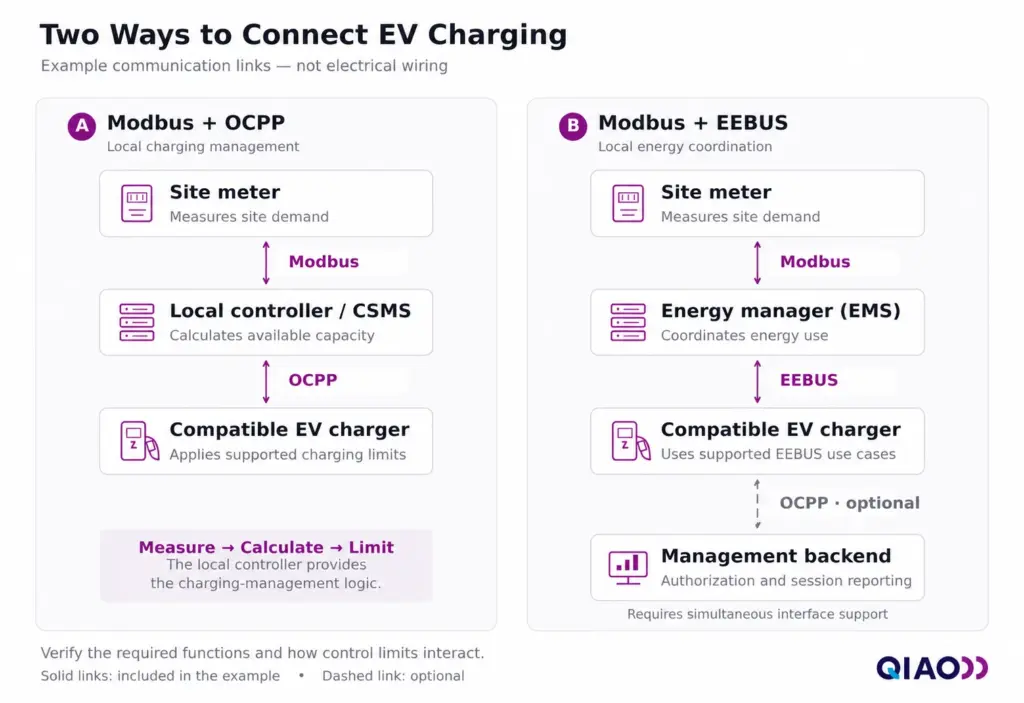
A site can use Modbus for meter data and OCPP for charger control. In this example, a local controller performs three tasks:
- Read Site Demand: The controller receives current or power measurements from a compatible meter through Modbus.
- Calculate Available Capacity: It uses those readings and the configured supply limits to calculate how much capacity charging can use.
- Set Charging Limits: Acting as a local CSMS, it sends charging profiles through OCPP to chargers that support this function.
As building demand changes, the controller updates the permitted charging level. This is one way to implement dynamic load management.
The controller supplies the calculation logic. Modbus carries measurements, and OCPP carries the resulting charging limits.
Local Energy Coordination with an Optional Management Backend
Another setup could use Modbus between a site meter and an EMS, then EEBUS between the EMS and a compatible charger. The EMS uses site measurements and its configured priorities to coordinate charging through the supported EEBUS use cases.
The charger could also connect to a management backend through OCPP for authorization and session reporting. This additional connection requires a charger that supports both interfaces operating together. Its software must also define how local energy limits interact with backend charging profiles.
Some systems use Modbus directly between the EMS and charger instead of EEBUS. The appropriate connection depends on their supported functions.
A separate protocol gateway may help where interfaces differ. Confirm that it can translate the required measurements and commands; equipment with compatible native interfaces may communicate directly.
Which Interfaces Does Your Charging Setup Need?
Choose interfaces around your existing equipment and the charging functions you need. A single home charger, a solar-connected household and a shared parking site can have different requirements.
| Your Setup | Start With These Questions | Possible Interface Choice |
| One charger at a private home | Do you need basic charging and scheduling, or must an external system adjust charging? | The charger’s own controls may be enough for basic use. External coordination requires an interface supported by both the charger and controller. |
| Home with solar, storage or an existing EMS | Which charger models and functions has your EMS provider tested? Do you want solar surplus charging, household load management or both? | EEBUS, Modbus or OCPP may be suitable, depending on the EMS and charger implementation. |
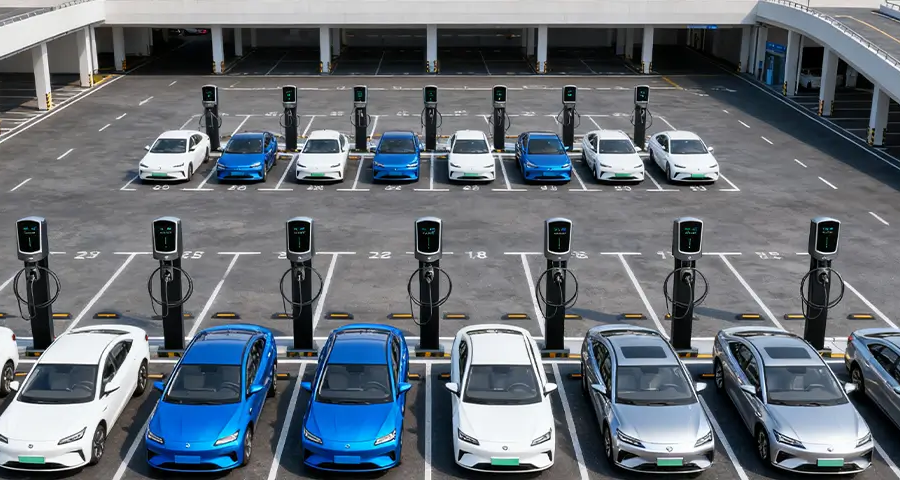
| Workplace, hotel or fleet with several chargers | Which platform will manage access and charging records? How will the site measure demand and distribute available power? | OCPP can connect chargers to the management system. Local meters and energy controllers may use Modbus or EEBUS where supported. |
For a solar-connected home, start with the EMS provider’s tested compatibility list. Check what each listed combination can do. Reading charging data and adjusting charging current are separate functions.
Solar charging also needs suitable measurements. Some systems use a meter at the grid connection point to identify surplus generation, so direct communication with the solar inverter is not always necessary.
You do not need all three standards simply because your site has several chargers or energy devices. Specify the required connections first, then select equipment that supports them.
QIAO Options with OCPP 1.6J
QIAO offers commercial AC chargers with OCPP 1.6J support, along with selected models in the Q6 and Q7 home charger series and Q20 and Q21 portable charger series.
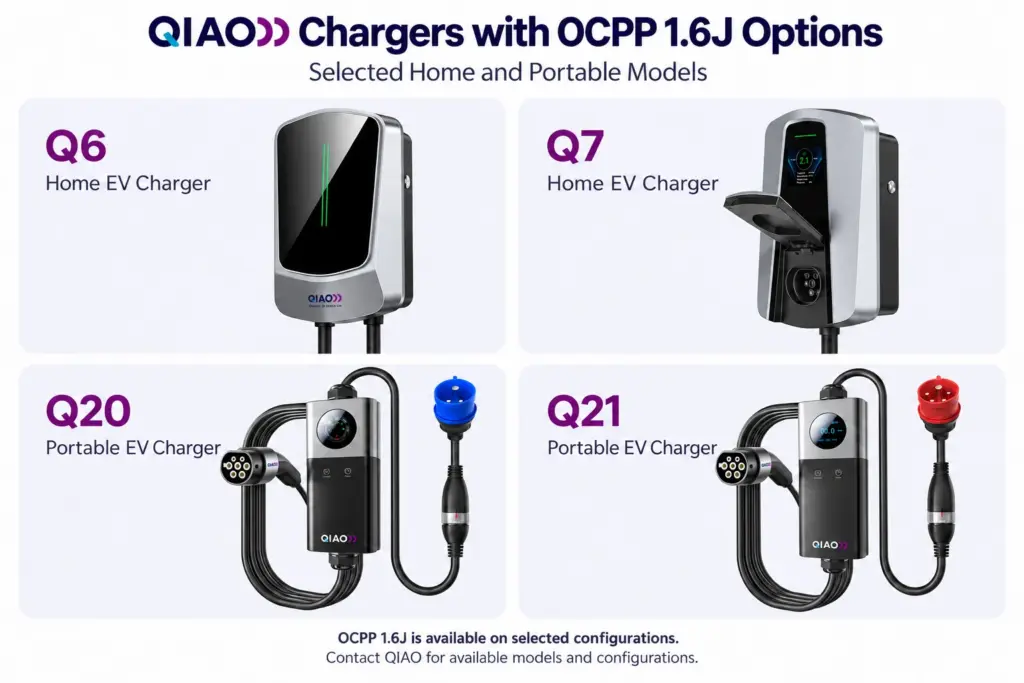
Contact us for available models and configurations. Include your target charging management platform, required functions and installation country so we can help identify suitable options.
Can External Control Work Alongside the Manufacturer’s App?
Sometimes. A charger may support external management while retaining its original app, but the available functions depend on its connections and software.
Check Which Services Remain Available
Changing the OCPP backend can affect app functions that rely on the manufacturer’s platform. Remote start, schedules, charging history and firmware updates may each use different services, so confirm them separately.
Some chargers provide one configurable OCPP connection. Others maintain an additional manufacturer connection or allow local interfaces to operate alongside OCPP. Support for OCPP, Modbus or EEBUS alone does not establish which combinations are available.
For example, a local Modbus connection might let an EMS manage charging while the original app remains connected through the manufacturer’s service. This arrangement requires explicit support from the charger.
Agree on Who Controls Charging
Define which system handles authorization, scheduling and current limits before enabling external control. An app schedule, an EMS solar mode and an OCPP charging profile can all affect the same session.
Starting a session and setting its current limit are separate controls. A session may be authorized yet remain paused because the energy controller allows no charging power. Likewise, permission to change a current limit may not include permission to start charging.
Ask the supplier how the charger combines these controls and shows which control is currently limiting charging. This helps explain situations where the app shows a connected vehicle but charging does not begin.
What Should You Verify Before Choosing a Charger?
Verify the exact charger model, firmware and required functions against your chosen EMS or charging platform. Ask the charger supplier and system provider for the following evidence before placing an order.
| What to Verify | Evidence to Request |
| Model and Firmware | A specification and protocol function list for the exact configuration you will receive, including any minimum firmware requirements. |
| Required Data and Control | An interface guide showing which measurements you can read and which settings you can change. For EEBUS, request the supported use cases and device roles. |
| Connection Requirements and Costs | A setup guide identifying required meters, controllers or gateways, plus any interface activation, platform or subscription charges. |
| Compatibility with Your System | Test results identifying the charger, firmware and EMS or CSMS version. Include any required combination of external control and manufacturer app functions. |
| Connection Loss and Recovery | A test record showing charging behavior during internet, local-link and controller failures. Confirm the fallback current or pause behavior, plus what happens after reconnection and restart. |
| Access and Ongoing Support | Written confirmation of who can enable local interfaces, change backend settings and maintain pairing or credentials. Identify who supports integration faults and future software updates. |
For OCPP, request the applicable certificate if the supplier claims certification. The Open Charge Alliance explains that a Vendor Declaration of Conformance is a test report generated by its OCPP Compliance Test Tool, without independent verification. It is not equivalent to independent certification. Check the model, software version and functions covered by either document.
Keep test requirements specific. “The charger connects to our EMS” is less useful than confirmation that the EMS can read charging power, adjust the permitted current and maintain the required app functions.
Agree on who will complete any outstanding checks before ordering. Keep the confirmed configuration and results with your project records so future replacements or updates have a clear reference.
Choose Interfaces Around Your System
Start with the charging tasks you need to achieve and the equipment already on-site. Use those requirements to decide where OCPP, Modbus or EEBUS fits.
Before requesting a quote, prepare a simple connection diagram and a short function list. For example, solar surplus charging with continued access to the original app. Share both with your charger supplier and management-system provider so they can propose a suitable configuration.
About QIAO Charger
QIAO Charger offers home and portable AC charging products, along with commercial AC EV chargers for workplaces, shared parking and fleet sites.
We work with distributors, installers, retailers and project partners sourcing chargers for their projects or customers. Explore our partnership opportunities to discuss product selection, available configurations and your market requirements.